 Sealkeep
Break-in alerts: see who tried to open your vault
If someone enters three wrong passcodes, Sealkeep quietly records the attempt. With Sealkeep Pro it can also take a silent photo with the front camera. The record is encrypted the moment it is made, and the next time you unlock your vault, Sealkeep tells you: Someone tried to open your vault. The attempt log is free; intruder photos are part of Sealkeep Pro.
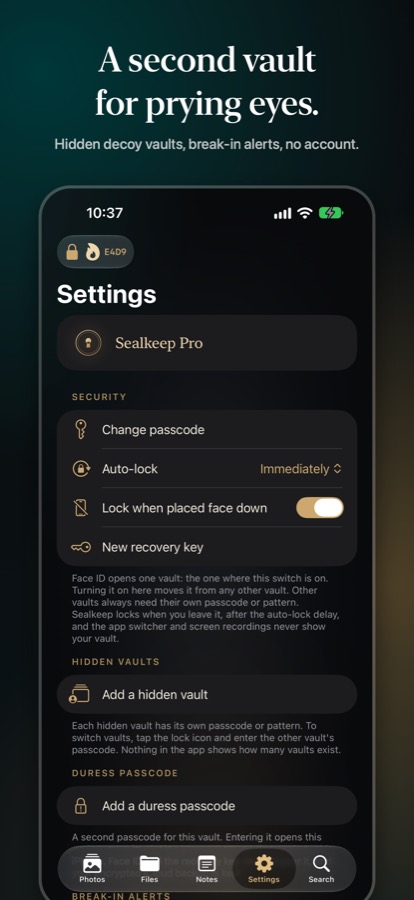
What a break-in alert records
Sealkeep counts wrong passcodes on the lock screen. At the 3rd wrong passcode it makes a record, and then again at every 3rd one after that: the 6th, the 9th, and so on.
- The date and time of the attempt.
- How many wrong passcodes had been entered.
- A photo from the front camera, if you have turned on Photograph intruders and have Sealkeep Pro.
No location is recorded. Sealkeep does not use location services at all.
How it works while your vault is locked
A break-in happens while the vault is locked, so Sealkeep cannot use the vault's key to save the record. Instead, it encrypts the record to a public key that belongs to your primary vault and writes it to an encrypted drop box. Only the primary vault's private key, which is stored inside the encrypted vault, can open it.
The next time you unlock your primary vault, Sealkeep collects the records into the vault and shows Someone tried to open your vault. Until then, nobody holding your phone can read or delete what was recorded through the app.
The photo is taken from a short burst of front-camera video frames rather than with the shutter. That way the camera's exposure has time to settle, and there is no shutter sound. If the camera does not deliver a frame within 4 seconds, Sealkeep gives up on the photo and still records the attempt.
Break-in records are encrypted as soon as they are made. They stay on your iPhone, and leave it only inside your encrypted iCloud backup, if you turn that on.
Where to see break-in attempts
Open your primary vault and go to Settings > Break-in alerts > Break-in attempts. A badge shows how many there are. Each entry shows the photo thumbnail if there is one, the date and time, and how many wrong passcodes were entered. Tap Clear to remove them. When there are none, you see No break-in attempts.
Break-in records only ever reach the primary vault. A hidden vault never collects them, so opening a decoy in front of someone does not show them a list of their own failed attempts. If a duress passcode has erased the primary vault, the vault that remains takes over and collects new records; records still waiting for the erased vault are discarded.
Lockouts work alongside alerts
Recording an attempt does not stop anyone from guessing. Lockouts do. From the 5th wrong passcode, Sealkeep makes the person wait 30 seconds, then 60 seconds, 5 minutes, 15 minutes, and then 1 hour for every further failure.
Nothing is erased automatically, however many wrong passcodes are entered. A successful unlock resets the count. Read more in how Sealkeep encrypts your vault.
What break-in alerts do not catch
- One or two wrong guesses. The first record is made at the 3rd wrong passcode. Someone who gives up after two is not recorded.
- Counts reset on success. The wrong-passcode count is reset whenever any vault is unlocked successfully. If someone tries twice and you then unlock, their two attempts are not carried over.
- Failed Face ID. A face that Face ID does not recognize does not count as a wrong passcode.
- Recovery key attempts. Wrong recovery keys entered in Forgot passcode? are not counted.
- Someone who knows your passcode. If they unlock on the first try, there is nothing to record.
- Real-time alerts. Sealkeep has no servers and sends no notifications. You find out the next time you unlock your primary vault, not at the moment it happens.
- A clear face. The photo is whatever the front camera sees at that moment. It may show a hand, a ceiling or a blurred face.
How to set it up
The attempt log is always on and is part of the free version. To add photos:
- Open your primary vault and go to Settings.
- In Break-in alerts, turn on Photograph intruders.
- Allow camera access when iOS asks. Sealkeep asks for it when you turn the switch on.
- Lock the vault. From now on, the 3rd wrong passcode, and every 3rd after it, is recorded with a photo.
Photos need Sealkeep Pro and camera permission. If either is missing, the attempt is still logged, just without a photo. If Pro ends, intruder photos pause until you renew; the attempt log keeps working.
Questions
How many wrong passcodes trigger a break-in alert?
Three. Sealkeep records the attempt at the 3rd wrong passcode, and again at the 6th, 9th and every 3rd after that.
Does the intruder photo make a shutter sound?
No. Sealkeep takes the photo from front-camera video frames, not with the shutter, so there is no shutter sound.
Will I get a notification when someone tries to open my vault?
No. Sealkeep has no servers and sends no notifications. The next time you unlock your primary vault, it shows Someone tried to open your vault, and the attempt is listed in Settings.
Does Sealkeep record the intruder's location?
No. A break-in record holds the date and time, the number of wrong passcodes and, optionally, a photo. Sealkeep does not use location services.
Are break-in alerts free?
The attempt log is free. Silent intruder photos are part of Sealkeep Pro.
Can someone delete the break-in record before I see it?
Not through the app. The record is encrypted to your primary vault the moment it is made, and it can only be read and cleared from inside that vault.
Related
Encryption
Sealkeep encrypts photos, videos, files, thumbnails and notes with AES-256-GCM on iPhone or iPad, with a key protected by 1,000,000 PBKDF2 rounds. No servers.
Hidden vaults
Give a second passcode its own hidden vault with separate photos, files and notes. Each vault has its own key, and the app never shows how many vaults exist.
Privacy screen
Sealkeep locks when you leave, after 1 or 5 minutes, or when you lay the iPhone face down. The app switcher and screen recordings show a cover, not the vault.